SO8OO WebSDR
Listen live with the SO8OO online SDR receiver at KN09vw in southeastern Poland. Tune VLF, HF and QO-100 signals directly in your browser. Po polsku: WebSDR Polska.


|
|||||||||||||||||||||||||||||||||
|
Display Controls:
|
 |
||||||||||||||||||||||||||||||||
![[scale]](/smeter1.png)
mute squelch DSP New!
Notch1
Signal strength plot: |
Bandwidth:
? kHz @ -6dB; ? kHz @ -60dB. PassBand Tuning (PBT): 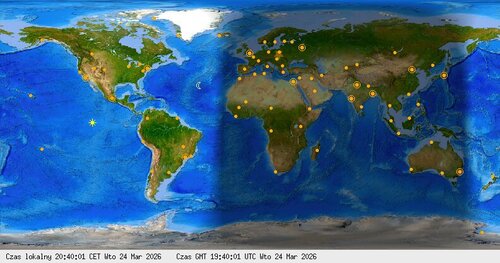
Move mouse over image - it will refresh map. Yellow star points WebSDR QTH - KN09vw - southeastern Poland. |
Waterfall view:
|
|||||||||||||||||||||||||||||||
|
Chat → Discord #general
loading…
loading…
Zaloguj przez Google, żeby wysłać wiadomość na Discorda:
Statistics:
|
|||||||||||||||||||||||||||||||||
Live online SDR receiver in Poland
SO8OO is a receive-only WebSDR at locator KN09vw in southeastern Poland. Its receivers cover VLF, selected HF amateur bands and the QO-100 satellite downlink. Reception changes with radio propagation, time of day and local conditions.
How to listen to live radio
Choose a receiver band, click or tap a signal on the waterfall, then select AM, LSB, USB, CW or FM as needed. Adjust bandwidth and volume for clear audio. No account or additional software is required.
Receiver help: sound or waterfall
If you cannot hear audio, tap START AUDIO or unmute the receiver and allow autoplay for this site. In Firefox, check Settings → Privacy & Security → Permissions → Autoplay.
If the display remains empty, reload the page. If necessary, clear cached site data for sdr.so8oo.net. When every band appears silent, report it in the SO8OO Discord.
Bardzo dobrze to działa, słucham kiedy tylko mam czas. Pozdrawiam z Rzeszowa.
Zycze sukcesu!Pozdrawiam z Jaworowa.
Tak, wkrótce dojdą pasma 160m i 40m. Spora szansa, że jeszcze w tym miesiącu 😉
Witam z Ukrainy!Czekamy na ewentualne dodawanie innych pasm.