SO8OO WebSDR
Listen live with the SO8OO online SDR receiver at KN09vw in southeastern Poland. Tune VLF, HF and QO-100 signals directly in your browser. Po polsku: WebSDR Polska.


|
|||||||||||||||||||||||||||||||||
|
Display Controls:
|
 |
||||||||||||||||||||||||||||||||
![[scale]](/smeter1.png)
mute squelch DSP New!
Notch1
Signal strength plot: |
Bandwidth:
? kHz @ -6dB; ? kHz @ -60dB. PassBand Tuning (PBT): 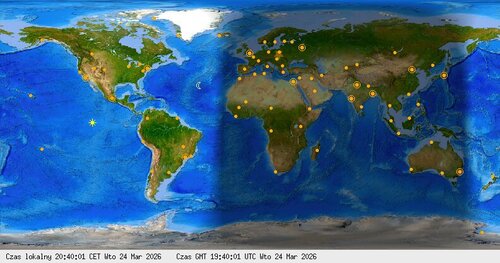
Move mouse over image - it will refresh map. Yellow star points WebSDR QTH - KN09vw - southeastern Poland. |
Waterfall view:
|
|||||||||||||||||||||||||||||||
|
Chat → Discord #general
loading…
loading…
Zaloguj przez Google, żeby wysłać wiadomość na Discorda:
Statistics:
|
|||||||||||||||||||||||||||||||||
Live online SDR receiver in Poland
SO8OO is a receive-only WebSDR at locator KN09vw in southeastern Poland. Its receivers cover VLF, selected HF amateur bands and the QO-100 satellite downlink. Reception changes with radio propagation, time of day and local conditions.
How to listen to live radio
Choose a receiver band, click or tap a signal on the waterfall, then select AM, LSB, USB, CW or FM as needed. Adjust bandwidth and volume for clear audio. No account or additional software is required.
Receiver help: sound or waterfall
If you cannot hear audio, tap START AUDIO or unmute the receiver and allow autoplay for this site. In Firefox, check Settings → Privacy & Security → Permissions → Autoplay.
If the display remains empty, reload the page. If necessary, clear cached site data for sdr.so8oo.net. When every band appears silent, report it in the SO8OO Discord.